
Rate Cards (Pricing)
What is a Rate Card?
A Rate Card is the price list for a client. It defines how much you charge for each warehouse activity -- receiving goods, storing them, picking orders, packing, and shipping.
Every client has their own rate card because pricing is usually negotiated per client.
Why Use Rate Cards?
Rate cards let the system automatically calculate charges. When a warehouse worker receives 500 units, the system looks up the receiving rate and creates a billing record. No one has to calculate charges by hand.
How to Create a Rate Card
Step 1: Open the Rate Card list
Type Rate Card in the search bar and click on Rate Card List.
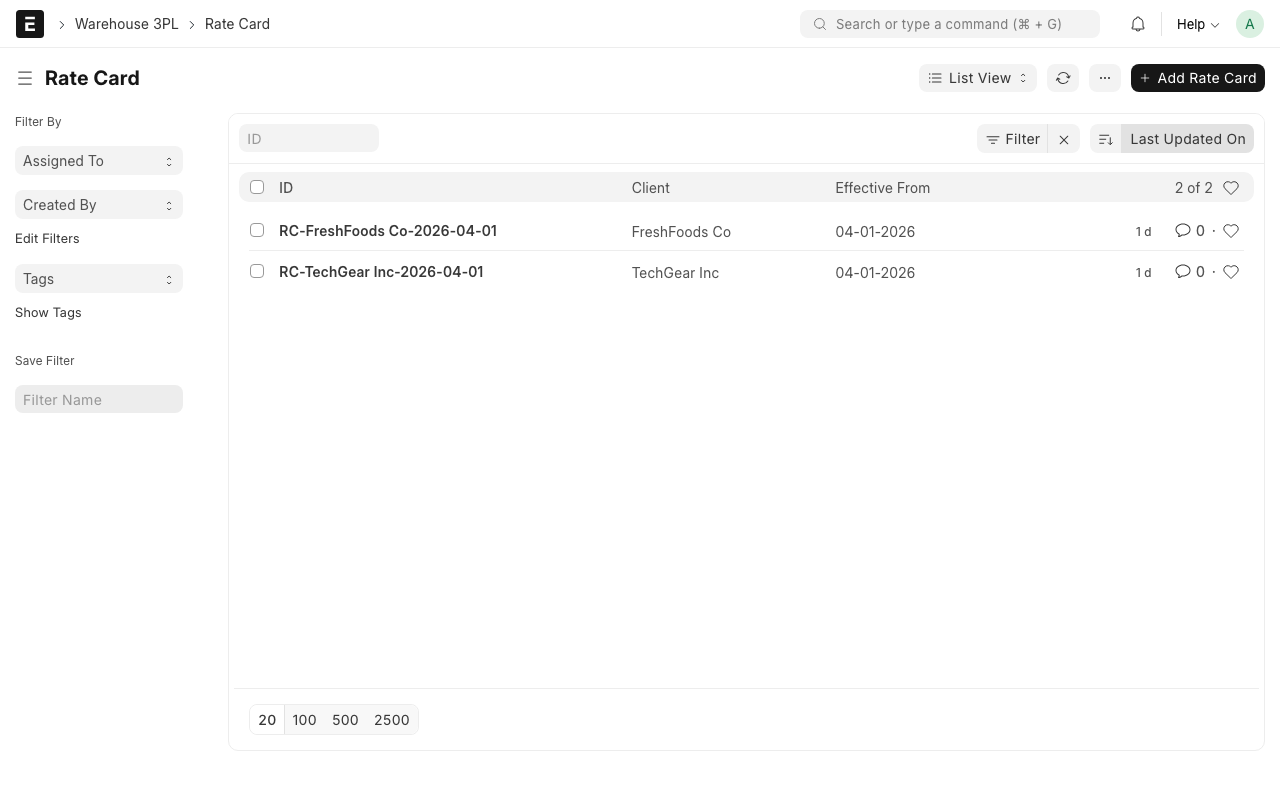
Step 2: Click "Add Rate Card"
Click the + Add Rate Card button.
Step 3: Select the Client
- Client -- Choose which client this rate card is for.
- Rate Card Name -- Give it a name. Example: "FreshFoods 2026 Rates"
- Effective From -- The date these rates start. Example: "2026-01-01"
- Effective To -- (Optional) The date these rates end. Leave blank if there is no end date.
Step 4: Add Rate Card Lines
Click Add Row in the rates table to add each activity and its price.
Each line has:
- Activity Type -- What you are charging for
- UOM (Unit of Measure) -- How you measure it
- Rate -- How much you charge per unit
Here are the common activity types:
| Activity Type | What It Means | Example Rate |
|---|---|---|
| Receiving | Charged when goods arrive at the warehouse | $0.50 per unit |
| Storage | Charged monthly for space used in the warehouse | $15.00 per pallet per month |
| Picking | Charged when items are picked from bins for an order | $0.35 per unit |
| Packing | Charged when items are packed into boxes/cartons | $0.25 per unit |
| Shipping | Charged for each order that ships out | $5.00 per order |
Example Rate Card
Here is what a complete rate card might look like:
| Activity Type | UOM | Rate |
|---|---|---|
| Receiving | Per Unit | $0.50 |
| Storage | Per Pallet / Month | $15.00 |
| Picking | Per Unit | $0.35 |
| Packing | Per Unit | $0.25 |
| Shipping | Per Order | $5.00 |
Step 5: Activate the Rate Card
Set the Status field to Active. Only one rate card per client can be active at a time.
Step 6: Save
Click Save (Ctrl+S).
TIP
You can create a new rate card for a client without deleting the old one. Just set the new one to "Active" and the old one will automatically become "Inactive". This keeps a history of past pricing.
WARNING
If a client has no active rate card, the system cannot calculate charges. Billing transactions will be created with a zero amount. Always make sure each active client has an active rate card.
How Rates Are Used
When warehouse activities happen, the system automatically looks up the rate:
- Worker receives 680 units for FreshFoods
- System finds FreshFoods' active rate card
- Receiving rate is $0.50 per unit
- System creates a billing transaction: 680 x $0.50 = $340.00
You do not need to do anything -- it is all automatic. See Billing & Charges for more details.
What happens behind the scenes
Every time a receiving, pick task, or pack task is completed, the system creates a Billing Transaction. It pulls the rate from the client's active rate card and multiplies it by the quantity. This happens in the background with no extra steps needed from you.
What Happens Next?
After creating a rate card:
- The system will use it to calculate charges for all Billing Transactions
- You can view charges in the Billing & Charges page
- The rate card link will appear on the Client record under "Active Rate Card"